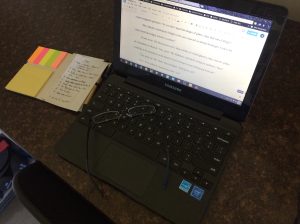
 Having now worked with both a laptop and a Chromebook, here are what I think are the six most important differences between them that might affect your choice of what to work with.
1. PRICE
For comparison of prices off-the-shelf, not including tax, the laptop I was using ran over $600 more than eighteen months ago. The Chromebook ran for $180. That’s quite a substantial difference.
2. BATTERY
The Chromebook has a much more substantial battery life. Some models boast ten and more hours of useful battery. This is in part because there are no moving parts like the physical hard drive in your laptop. Which leads to the next point.
3. STORAGE
You’ll be hard pressed to find a Chromebook with the same storage as a laptop. Whether this is any kind of issue is a matter of personal opinion though. Windows is a resource hog and laptops need LOTS of storage space to even run it – you couldn’t run it with a Chromebook’s storage. But my model has a micro-SD expansion port, as I think most do. Bear in mind, I’m pretty sure you can’t run apps from it, only use it as storage.
4. PROCESSOR
Windows being a resource hog needs a powerful processor just to turn on. Chrome OS is much lighter and doesn’t need that. The theory is that there isn’t much trade-off in performance because the lighter OS is running on an appropriate processor. I don’t think I quite agree with that assessment – a Chromebook is nowhere near as capable as a laptop.
5. WORD PROCESSING
There are versions of Word available and once I got the Android store to work on my Chromebook, the version I saw was free. However, I’m already vested in Google Docs, so that’s what I’m discussing here.
It’s important to remember that Google Docs really isn’t a word processor, it’s a web browser pretending to be one. With that borne in mind, it really isn’t bad, it’s just important to bear in mind the storage limitations and the fact that everything slows down as your document gets bigger.
6. KEYBOARD
I’m a fossil. I learned on a 1979 Commodore design, the VIC-20. Then I moved through the Acorn BBC Model B and the Commodore Amiga to my first PC back in 1997. Since then, I’ve kind of gotten used to the standard keyboard.
You don’t get that with a Chromebook.
There is no forward delete, only a backspace and the touch-pad control has no mouse buttons: a regular click is a single-finger click whereas a right-click is a two-finger click. This is the worst idea implemented on the Chromebook. I find I do everything I can to avoid having to right-click because most of the time the second finger isn’t recognized on mine.
Yours might work differently. This is my experience.
BOTTOM LINE
There are some aspects about the Chromebook design which are aggravating as hell. Sometimes it misses keystrokes, sometimes it abandons the text I’ve selected for a right-click because it hasn’t not noticed my second finger, and there’s no forward delete button!
But I really like it anyway. It’s just enough to write with, I mistype words much more often than it misses my key presses, I’m finding ways to cope with the right-click issue and I’ve gotten used to the absence of the delete key.
If I went back in time to give myself advice before choosing to pick up a Chromebook, I’d still get one.
It gets the job done.
Categories: Writing
 Andrew Wellington
Leave a comment